[2/2] Manage cloudflared with GitOps solution
In the previous article, I showed you how to expose your Kubernetes Service to Internet through Cloudflare Tunnel. I have also mentioned…
First published on MediumIn the previous article, I showed you how to expose your Kubernetes Service to Internet through Cloudflare Tunnel. I have also mentioned that you can actually expose multiple services by same tunnel.
From the ConfigMap manifest we used,
---
apiVersion: v1
kind: ConfigMap
metadata:
  name: cloudflared-configmap
data:
  config.yaml: |
    tunnel: k3s-cluster
    credentials-file: /etc/cloudflared/creds/credentials.json
    metrics: 0.0.0.0:2000
    no-autoupdate: true
    ingress:
    - hostname: test.example.com
      service: http://service-name.namespace-name.svc.cluster.local:80
    - service: http_status:404
To expose new services, firstly create a new DNS record with desired hostname and targeting to same tunnel. We can simply update the data of ConfigMap. Then, delete the previous deployment and recreate it.
From above steps, we can see a possibility of improvement.
What if we would like to automate the steps from updating ConfigMap to renewing the
config.yamlin the pods?
We can achieve it with a GitOps solution by two main components.
- Manage the Kubernetes manifest files in a Git repository
- Deploy
cloudflaredby ArgoCDApplication with auto sync
Let’s get started!
Solution Design
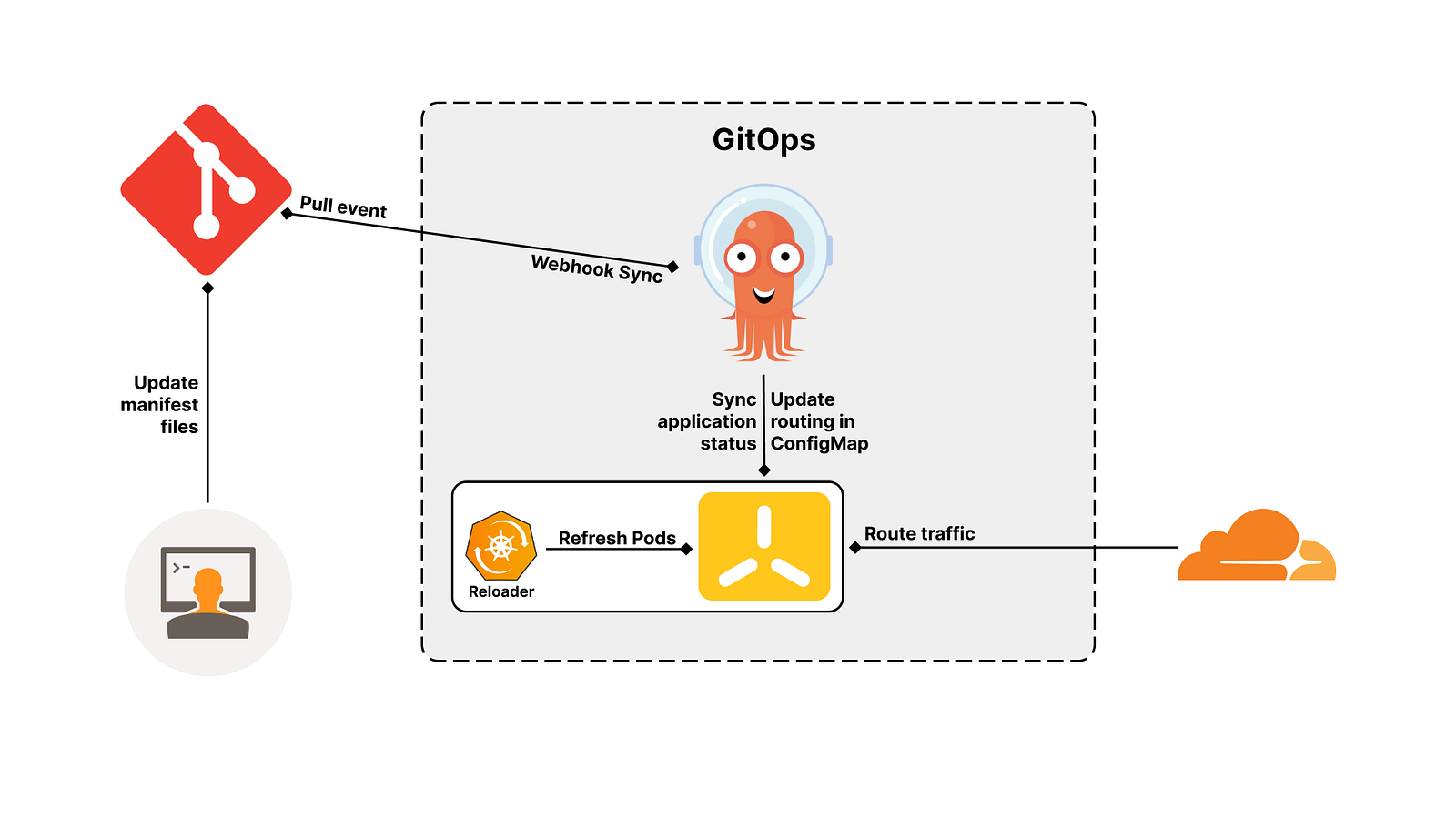
- Create new DNS record through Cloudflare portal or command line
- Push the changes of config defined in ConfigMap to Git repository
- ArgoCD performs pull event to the Git repository and gets the latest commit
- ArgoCD compares the state of Kubernetes resources between currently deployed and newly defined on Git
- ArgoCD updates the ConfigMap
cloudflared-configmap - Reloader catches the ConfigMap changes and do rolling updates of the Pods associated with Deployment
- You can access the newly exposed service now
Implementation
Assuming you have followed the previous article, we need to install multiple items.
[1/2]How to expose your local Kubernetes Services through Cloudflare Tunnel without Ingress
Setup GitHub repository
Create a new GitHub repository storing Kubernetes manifests file of cloudflared deployment.
You can directly push the manifest file used in previous article into this newly created repository.
Modify cloudflared manifests file
We need to modify the cloudflared manifests file to include the annotation for Reloader which we will deploy later.
Add below annotation to the Deployment workload,
annotations:
  reloader.stakater.com/auto: "true"
Install ArgoCD
Use the following command to create namespace and deploy the official ArgoCD manifests in your cluster.
kubectl create namespace argocd
kubectl apply -n argocd -f https://raw.githubusercontent.com/argoproj/argo-cd/stable/manifests/install.yaml
Apply the following manifests to disable the default HTTPS of ArgoCD server and expose the service through NodePort.
---
apiVersion: v1
kind: ConfigMap
metadata:
  labels:
    app.kubernetes.io/name: argocd-cmd-params-cm
    app.kubernetes.io/part-of: argocd
  name: argocd-cmd-params-cm
data:
  server.insecure: "true"
---

apiVersion: v1
kind: Service
metadata:
  labels:
    app.kubernetes.io/component: server
    app.kubernetes.io/name: argocd-server
    app.kubernetes.io/part-of: argocd
  name: argocd-server
  namespace: argocd
spec:
  ports:
  - name: http
    port: 80
    protocol: TCP
    targetPort: 8080
  selector:
    app.kubernetes.io/name: argocd-server
  sessionAffinity: None
  type: NodePort
You can now access to ArgoCD UI through http://localhost:[NodePort] .
Deploy Reloader
Reloader is a Kubernetes controller to watch changes in ConfigMap and Secrets and do rolling upgrades on Pods with their associated Deployment, StatefulSet, DaemonSet and DeploymentConfig.
We can simply deploy this Reloader to monitor ConfigMap changes and trigger the Pods renewal.
kubectl apply -f https://raw.githubusercontent.com/stakater/Reloader/master/deployments/kubernetes/reloader.yaml
Setup repository connection on ArgoCD
To allow ArgoCD application to pull commits from Git repository, we can configure a new connection through UI.
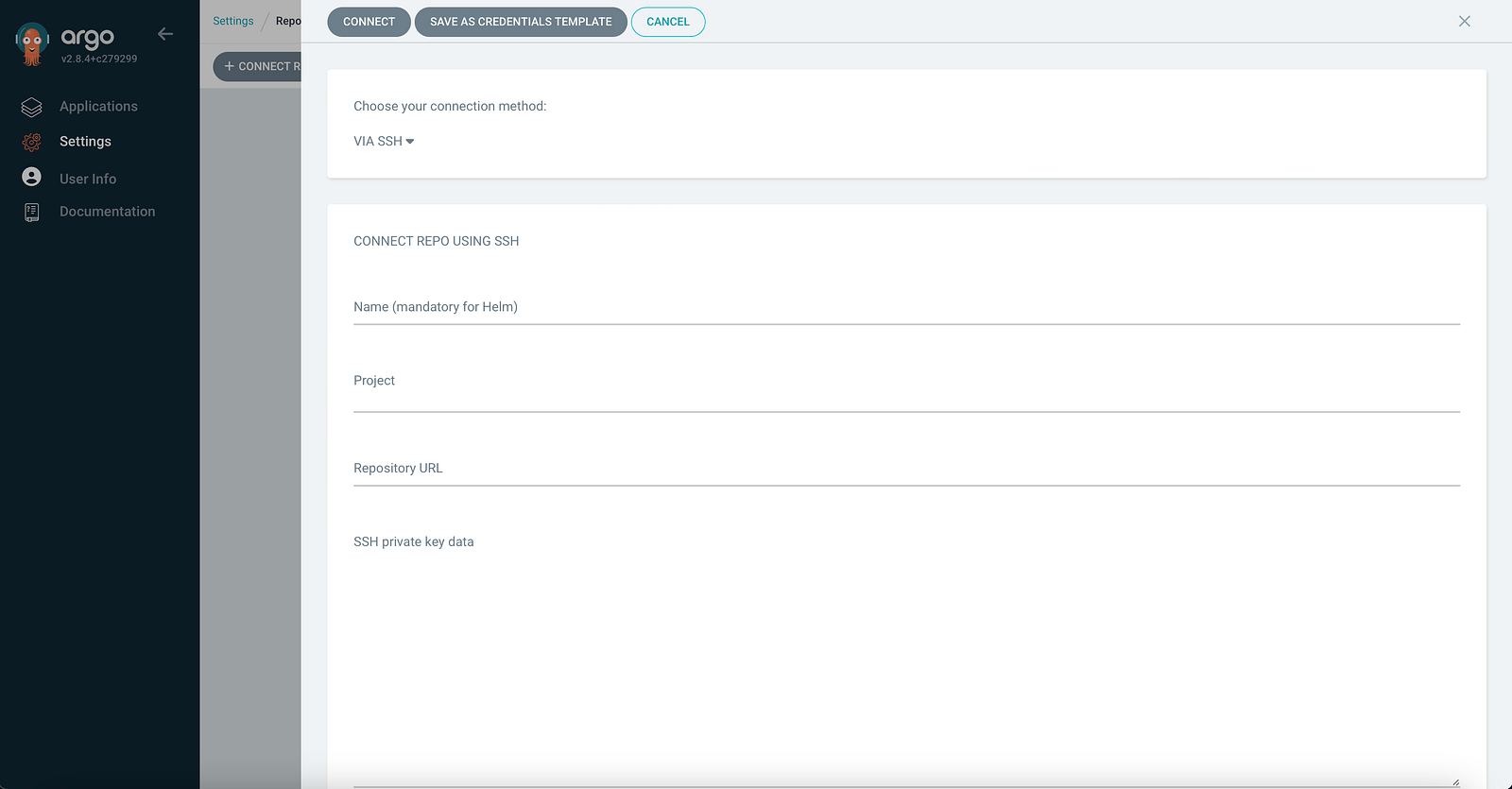
For example, you can connect to a public GitHub repository via SSH.
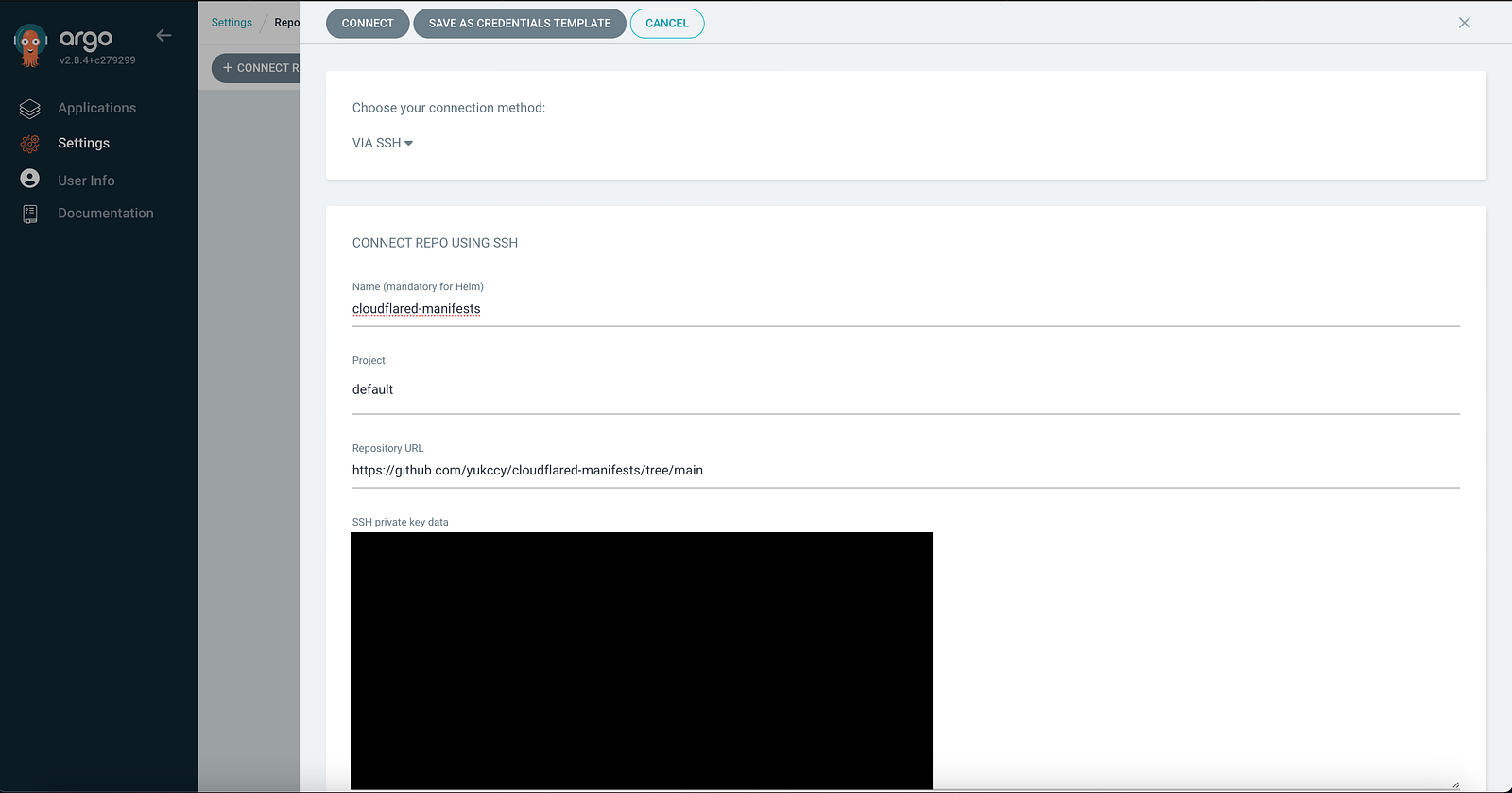
You will see a successful connection.

Deploy ArgoCD Application
We can deploy cloudflared by ArgoCD Application by following manifests. Replace source section with your own repository information.
apiVersion: argoproj.io/v1alpha1
kind: Application
metadata:
  name: cloudflare-tunnel-agent
  namespace: argocd
  finalizers:
    - resources-finalizer.argocd.argoproj.io
spec:
  destination:
      name: ''
      namespace: default
      server: 'https://kubernetes.default.svc'
  source:
    path: .
    repoURL: 'git@github.com:yukccy/cloudflared-manifests.git'
    targetRevision: main
  sources: []
  project: default
  syncPolicy:
    automated:
      prune: true
      selfHeal: true
    syncOptions:
      - CreateNamespace=true
You will see a new application on ArgoCD UI coloured in green.
Testing
Now, it is time to test the GitOps solution by following steps.
- Create new DNS record on Cloudflare portal or through CLI
- Modify the ConfigMap of
cloudflaredmanifests with adding new route - Push the changes to the Git repository
- Wait and see the auto sync triggered on ArgoCD UI
- Access the URL and see if new DNS record is working